Showing posts with label iphone 3g. Show all posts

Friday, November 21, 2008

iPhone 2.2 Firmware Update Available Now - No Cut & Paste Yet


In case you don't know, the new Apple iPhone 2.2 Firmware is out today, as well as the iTunes 8.0.2 update. Go download it NOW, because the new features are impressive. I'm totally bummed there is no CUT & PASTE yet though.

Here's a list of the new features.

  • Enhancements to Maps
    • Google Street View*
    • Public transit and walking directions
    • Display address of dropped pins
    • Share location via email
  • Decrease in call setup failures and dropped calls
  • Enhancements to Mail
    • Resolved isolated issues with scheduled fetching of email
    • Improved formatting of wide HTML email
  • Podcasts are now available for download in iTunes application (over Wi-Fi and cellular network)
  • Improved stability and performance of Safari
  • Improved sound quality of Visual Voicemail messages
  • Pressing Home button from any Home screen displays the first Home screen
  • Preference to turn on/off auto-correction in Keyboard Settings

Thursday, October 9, 2008

Enable landscape mode for iPhone email client


One of the big problems I have with the Phone is that I prefer to type in landscape mode at all times due to my chubby fingers. As a result, I always end up turning my iPhone sideways when responding to emails, only to find the phone doesn't turn with me. Apple has locked the email app to be portrait only.

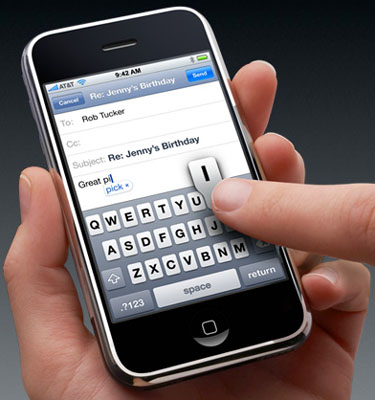
Thankfully, a new iPhone application called TouchType fixes the problem. Open the application and you get a landscape mode keypad. type an email, hit the send button and it auto-populates the email application. Type in the email addresses and you’re all set.

Be advised that it does cost $.99, but if you have large fingers like me, it's worth every penny!

Thursday, October 2, 2008

Nokia Brings Out iPhone 3G Competitor

Nokia is finally launching a touch-screen competitor to Apple's iPhone 3G. It looks a lot like the iPhone, but doesn't have multi-touch.

The 5800 has a 3.2-inch resistive touch screen and it's powered by Symbian S60, 5th edition. The user interface will be somewhat familiar to Symbian users, but the company has tweaked the UI for touch control.


"By adding the benefits of touch-screen technology to S60, the world's leading smartphone interface, Nokia is taking the familiar and giving it a human touch," said Nokia VP Jo Harlow, in a statement. "We have used touch technology where it really adds value such as the contacts bar, media bar, and clever shortcuts from the home screen to menu items such as calendar, profiles, and clock."

With a 640 by 360 display, the 5800 can play multiple types of video at a high resolution. Nokia is also emphasizing the handset's audio abilities, and there will be a built-in music player capable of multiple codecs. The handset will come with an 8-GB microSD card for storing this media, and the memory can be expanded up to 16 GB.

Nokia's first touch-screen handset also has a bevy of connectivity options with built-in Wi-Fi and 3G capabilities. These can be used to browse the Internet as well as check e-mail. The 5800 will also have Bluetooth version 2.0, GPS, and a proximity sensor to save battery life and avoid inadvertent touches.

The handset measures in at 4.3 by 2 by 0.6 inches, and it weighs about 3.8 ounces. Nokia said the handset will be available in Europe in the fourth quarter, and it will roll out to other markets in early 2009. The company said a version with its unlimited music download service, Comes With Music, will be available early next year.

Monday, September 22, 2008

Google Android phone to cost $199 on T-Mobile


The first mobile phone to use Google Inc's Android mobile operating software will cost $199, the Wall Street Journal reported on its website on Wednesday.

The phone, which features a slide-out keypad, is being manufactured by Taiwan's HTC Corp and will be sold by Deutsche Telekom's T-Mobile USA unit, which plans to unveil the device at an event in New York on September 23.

The Android powered HTC Dream is designed for the core functions like the e-mail, text documents and YouTube. The browser also downloads large files in stages to cut the time it seems to take to bring them onto the phone.

AT&T Inc, the only U.S. operator selling Apple Inc's iPhone, set the price of the latest version at $199 in July, setting a benchmark for smartphones that can surf the Web, manage email and other multimedia features.

The Journal, citing people familiar with the matter, said T-Mobile USA plans to release new data service plans in conjunction with the Google phone that will be "aggressively priced."

The story of developing the features for the G phone is quite an interesting one. The company introduced an open challenge to come up with useful application for this Android operated handset. Ten teams won $275,000 each and ten won $100,000 each for their interesting and useful application submissions. Just a few applications worth mentioning are cab4me, which helps you find a cab wherever you are GoCart, which allows you to scan product barcodes and compare product prices at local stores.

Sunday, September 21, 2008

Apple recalls iPhone 3G power adaptors - risk of electric shock

Today Apple posted a warning to users that certain versions of its iPhone 3G ultracompact USB power adapter are prone to breakage and should not be used.

According to Apple, many users have reported that the prongs in the plug have been breaking off and sticking in the outlet. This is resulting in a safety hazard by putting users at risk for electrical shock. No injuries were reported (publicly) in any of the incidents.

The recall only affects power adapters sold in the Americas and Japan. Users in other areas, including Europe, are not affected by the recall. The recall also does not cover newer two-prong adapters which have a green dot on the bottom.

The USB adapter is an accessory which ships with the new iPhone 3G models. The company is advising all users with affected models to stop using the USB adapters immediately and instead charge their handsets by connecting the USB cable to a computer.

Apple plans to begin a free exchange program starting October 10th. Users can exchange the recalled plugs at a local Apple Store or receive a replacement through the company's web site here.

http://www.apple.com/support/usbadapter/exchangeprogram/

Thursday, September 18, 2008

How to force your iPhone into restore mode

When an iPhone 3G locks up hard, and I mean really hard, your options are limited. Typically using the sleep plus home button reset trick (hold both for about 10 seconds) will set things right again. But when it doesn't, you need drastic measures. This can happen when the iPhone won't get past the initial Apple logo while booting. Plugging it into iTunes can simply cause iTunes to freeze. There is a fix on hand!

There is a trick for forcing the iPhone to go into restore mode. WARNING: This is a last resort! All the data on your iPhone will be cleared and it will be reset to factory defaults.

  1. Turn off the iPhone (Hold down the Sleep button, or use Sleep + Home trick above and then release as soon as the screen shuts off).
  2. Open iTunes on your computer.
  3. Hold down the Home button while connecting to your computer with iTunes already open and ready for a connection.
  4. iTunes will prompt you to perform a software restore.
  5. The iPhone will be wiped clean completely and be totally reset
  6. Enjoy your working iPhone!

Wednesday, September 17, 2008

How to change your iPhone theme

Did you know that there is a whole world out there of themes for your iPhone that can change the basic look? But be advised it's not for the faint of heart.

A good place to get started learning about the available themes is at the Apple iPhone School.

There are themes for WinterBoard, SummerBoard and Customize. For information on how to add a theme manually to your iPhone via SSH check out their How do I get themes onto my iPhone? post.

Keep in mind the process can be rocky and unstable, and it requires jailbreaking your iPhone, something I am still not comfortable with. But if you are brave, good luck and maybe post a screenshot of your freshly themed iPhone for everyone to see.

Tuesday, September 16, 2008

Your iPhone is taking screenshots of everything you do.

From Wired comes a disturbing article.

If you've got an iPhone, pretty much everything you have done on your handset has been temporarily stored as a screenshot that hackers or forensics experts could eventually recover, according to a renowned iPhone hacker who exposed the security flaw in a webcast Thursday.

While demonstrating how to break the iPhone's passcode lock in a webcast, iPhone hacker and data-forensics expert Jonathan Zdziarski explained that the popular handset snaps a screenshot of your most recent action -- regardless of whether it's sending a text message, e-mailing or browsing a web page -- in order to cache it. This is purely for aesthetic purposes: When an iPhone user taps the Home button, the window of the application you have open shrinks and disappears. In order to create that shrinking effect, the iPhone snaps a screenshot, Zdziarski said.

The phone presumably deletes the image after you close the application. But anyone who understands data is aware that in most cases, deletion does not permanently remove files from a storage device. Therefore, forensics experts have used this security flaw to gather evidence against criminals convicted of rape, murder or drug deals, Zdziarski said.

...

Other methods include taking data from the iPhone's keyboard cache, Safari cache, Google Maps lookups and so on. Experts and hackers can also recover deleted photos or e-mails from months ago.


Good for me I've got nothing to hide, but this is pretty scary! They need to fix this before iPhone can be taken seriously in the enterprise.

How-to disable auto-correct as you type on the iPhone

The iPhone auto-correct function is very useful, but can be a pain if you are in an industry where you use a lot of slang or uncommon terminology. Sometimes, you just want to turn it off. It's a bit of a pain, but it can be done.

The auto-correct feature is tied to the language that you are typing in. If you disable your English keyboard, the auto-correct feature will be disabled.

Sounds easy enough, but the iPhone will not allow you to disable the default keyboard if only one is activated.

To get around this, simply activate at least one more keyboard in your Keyboard Preferences. Here's how.

  1. Home Screen » Settings » General » Keyboard » International Keyboards. Here you can turn on your alternate Keyboard. Try the Italian QWERTY keyboard, for instance.
  2. After turning on your alternate keyboard, you just turn the slider to "off" for the keyboard where you want to disable auto-correct.
If you ever find yourself in the wrong keyboard later, it's easy to get back. Simply switch keyboards while typing by tapping the globe icon to the left of the space key.

Now there is no more auto-correction!

Friday, September 12, 2008

iPhone Firmware 2.1 released - claims to reduce dropped calls

As announced on Tuesday, the iPhone 2.1 firmware is out now, downloadable via iTunes. The list of promises looks great. Let's hope they deliver!

According to Apple's website, updates include:

  • Decrease in call set-up failures and dropped calls
  • Significantly better battery life for most users
  • Dramatically reduced time to backup to iTunes
  • Improved email reliability, notably fetching email from POP and Exchange accounts
  • Faster installation of 3rd party applications
  • Fixed bugs causing hangs and crashes for users with lots of third party applications
  • Improved performance in text messaging
  • Faster loading and searching of contacts
  • Improved accuracy of the 3G signal strength display
  • Repeat alert up to two additional times for incoming text messages (in case you missed the beep the 1st time)
  • Option to wipe data after ten failed passcode attempts
  • Genius playlist creation
To get the update, connect your iPhone to your computer, load up iTunes 8 and click "Check for Update."

How to take screenshots with your iPhone

Did you know that there is a built--in screen capture utility in iPhone 2.0 firmware or higher installed.

Simply hold down the Home button and press the Lock button at the same time, and your screen will flash. Now an image of your phone's screen gets saved to your Camera Roll's images.  See my example screenshot below.


Be careful not to hold the buttons down too long though, or your phone might reset!

Thursday, September 11, 2008

Has the iPhone overloaded the AT&T 3G network?

So I'm sitting here working through technical problems with a vendor tonight, and to my surprise my iPhone with all the reception problems is working great. I haven't had a dropped call or choppy conversations all night.

That's very strange. During the day I can't carry on a 5-minute conversation without dropping a conversation, or at least getting a complaint about the quality of my voice.

But at 1:40AM? No problems.
I live in the heart of downtown. My neighborhood is congested during the day with thousands of iPhone users at any given moment. Evenings are normally packed with the bar/restaurant/theater/concert crowd. But at 1:40AM you are taking your last drink and heading home (safely of course - we have mass transit in Denver). The point is that the number of people on their phones is decreased dramatically.

So this got me thinking...
Could it be that the iPhone is overloading the AT&T networks? iPhone users tend to use 30 times as much data as regular cellphone users, consuming 100MB per month on average. Even though the article refers to Germany, that's been my approximate data usage month-to-month as well since last year.

So each iPhone user is equivalent to 30 regular AT&T subscribers.

Doing the math, that means if you sell 6-million iPhones, you've really added the equivalent of 180-million phones worth of traffic to the AT&T 3G network. We know that AT&T's already struggling to catch up with the infrastructure for their 3G network, so maybe this is making the problem worse?

Keep in mind that this is less than a scientific observation, but it is an observation. Has anybody else experienced anything similar?

Tuesday, September 9, 2008

Apple releasing iPhone firmware 2.1 on Friday

At today's Let's Rock event, Apple announced a new iPod Nano and and a new iPod Touch, an updated AppleTV, as well as iTunes 8.

But the biggest news to me is the revelation that Firmware 2.1 for iPhone and iPod Touch is going to be out on Friday - hopefully. The current firmware suffers from frequent application crashes and major iPhone 3G reception problems. Firmware 2.0.2 was pushed by AT&T and Apple as a fix to the reception issues, but that iPhone firmware made things worse.

I'll post an update as soon as I have been able to download my 2.1 firmware. I'm hoping that it fixes the reception issues, otherwise that Nokia N96 is looking pretty good right now.

Friday, September 5, 2008

Twitterrific for iPhone gets update to 1.1

The best iPhone Twitter client, Twitterrific, has been updated. Version 1.1 is now available for download in the Apple App Store.

Here are a some of the notable updates in Twitterrific 1.1:

  • Scrolling is Teh Snappy™
  • Added a new “everyone” setting to view the public timeline
  • The number of tweets downloaded has been raised from 20 to 100
  • Photos are saved to the camera roll before being sent to TwitPic
  • Scroll positions are now preserved when refreshing and launching
  • Added image caching for avatars
  • Many more new features and bug fixes!

To find out more and to download Twitterrific for free go to the App Store. The free version of Twitterrific is supported by ads from The Deck. A premium ad-free version which includes a second interface theme is also available.

Seriously, if you have an iPhone and a Twitter addiction, this is the client you want.

Thursday, September 4, 2008

What's new in iTunes 8

From KevinRose.com comes new details on iTunes 8.

  • There will be a new Grid View to browse your artists and albums visually.
  • TV Shows will be available to download in in HD quality from the iTunes Store
  • A new new music visualizer is included.
iTunes 8 includes Genius, which makes playlists from songs in your library that go great together. Genius also includes Genius sidebar, which recommends music from the iTunes Store that you don't already have.
I'm interested to see how Genius works, the rest is meh. If Genius works like Pandora, I'm in, especially if that feature can be ported to things like the iPhone.

Here's what I want to see that isn't mentioned yet.

  • iPhone backup speed needs to be dramatically improved.
  • Hopefully they fix the iTunes store to make it faster and easier to use.
  • Support for a wider variety of video formats.

Here's to hoping.

Monday, August 25, 2008

It's the service, not the iPhone, that sucks


I'm not entirely convinced. The folks over at Wired did a user survey relating to the iPhone 3G reception problems, and it appears to be more service related than hardware related.

3G performance is slow almost all over, especially in cities where the 3G service is getting overloaded. If you want to have fast speeds, hang out in Germany and the Netherlands -- those folks had the fastest speeds (and it's no coincidence that the 3G network there has three extra development years on its American counterpart). The worst reception is apparently in Australia, as Optus and Virgin users had their iPhones chugging along at just 759 Kbps.
So, I guess I will be calling AT&T to complain tomorrow. Hopefully a service credit is pending. Strange how I never had a problem with my previous 3G phones, including my Samsung Blackjack.

iPhone 3G not having reception issues, I don't believe it

Engadget is reporting that some enterprising Swedes with science degrees have put the iPhone 3G up against the Nokia N73 and Sony Ericcson P1, and the results are surprising. They say that the reception on the iPhone 3G is "just fine".

To quote the article:

...some industrious Swedes decided to apply a little scientific method to the argument and found something interesting: the iPhone 3G performed just as well (or just as poorly, depending upon your mood) as a Nokia N73 and Sony Ericsson P1 when compared head-to-head in a mobile communications test chamber. The test was conducted by real-life antenna engineers just like those camera-fumbling souls contracted by the FCC.
My take on this is simple. Either they have gotten a good test version that doesn't suffer from the Infineon chip problems, or the 3G network in Sweden has better coverage than ours here in the US.

I can tell you that my iPhone 3G reception problems have only gotten worse since the 2.0.2 firmware. I'm ready to return my iPhone through the window of the closest AT&T store.

Tuesday, August 19, 2008

iPhone Firmware 2.0.2 fails to fix reception issues.

Looks like the iPhone firmware 2.0.2 is has reportedly not fixed the iPhone 3G reception issues that are so widespread. I can confirm from my own usage that this is definitely the case. I'm still dropping calls left and right.

If it wasn't scratched already, I think I'd be taking my iPhone 3G back to the Apple store tomorrow for a refund.

Monday, August 18, 2008

iPhone 3G reception problems fixed in new Firmware 2.0.2?

iPhone firmware 2.0.2 software has been released. Could we be getting close to seeing a resolution of the ongoing iPhone reception issues?

Engadget is already reporting the new firmware has fixed the 3G issues, but they aren't providing how they tested or verified the fix.

Although there has been no admission by Apple or its broadband chip suppliers that any such issues exist with the 3G technology included in the new iPhone, a report by Nomura analyst Richard Windsor earlier this week set off a chain reaction of media reports filled with speculation on the matter.

For instance, a report by Sweden's engineering magazine Ny Teknik, covered by the Associated Press last night, cited 'unnamed experts' as saying the 'most likely cause' was a defective adjustments between the iPhone 3G's antenna and an amplifier that captures very weak signals from the antenna.

Peter Burrows at Business indicates that a software fix is definitely on the way. "Two sources say Apple will likely issue a software update by the end of September—if not by the end of this month—to resolve the issues," Burrows wrote. "Apple and Infineon are currently testing the fix, which will be included in a broader update of the iPhone's software."

We can only hope this is the fix, otherwise we'll be waiting for iPhone Firmware 2.1.

Saturday, August 16, 2008

Infineon chips could be to blame for iPhone 3G woes


I've been doing more research today on the iPhone dropped call and data issue I've been having since upgrading my original iPhone.

Looks like the Infineon Chip that Apple used is being blamed for causing problems in 2-3% of iPhone traffic. Now, I'm not sure if that means 2-3% of iPhones, or 2-3% of calls. I know for a fact that I drop several calls everyday, whereas before I dropped none.

It seems that the Infineon Chip is not properly sensing the 3G signal strength, and is causing major handoff issues between 3G and Edge. I hope Apple can fix this in software, but I would imagine that a hardware fix would be a better solution.